Pipeline
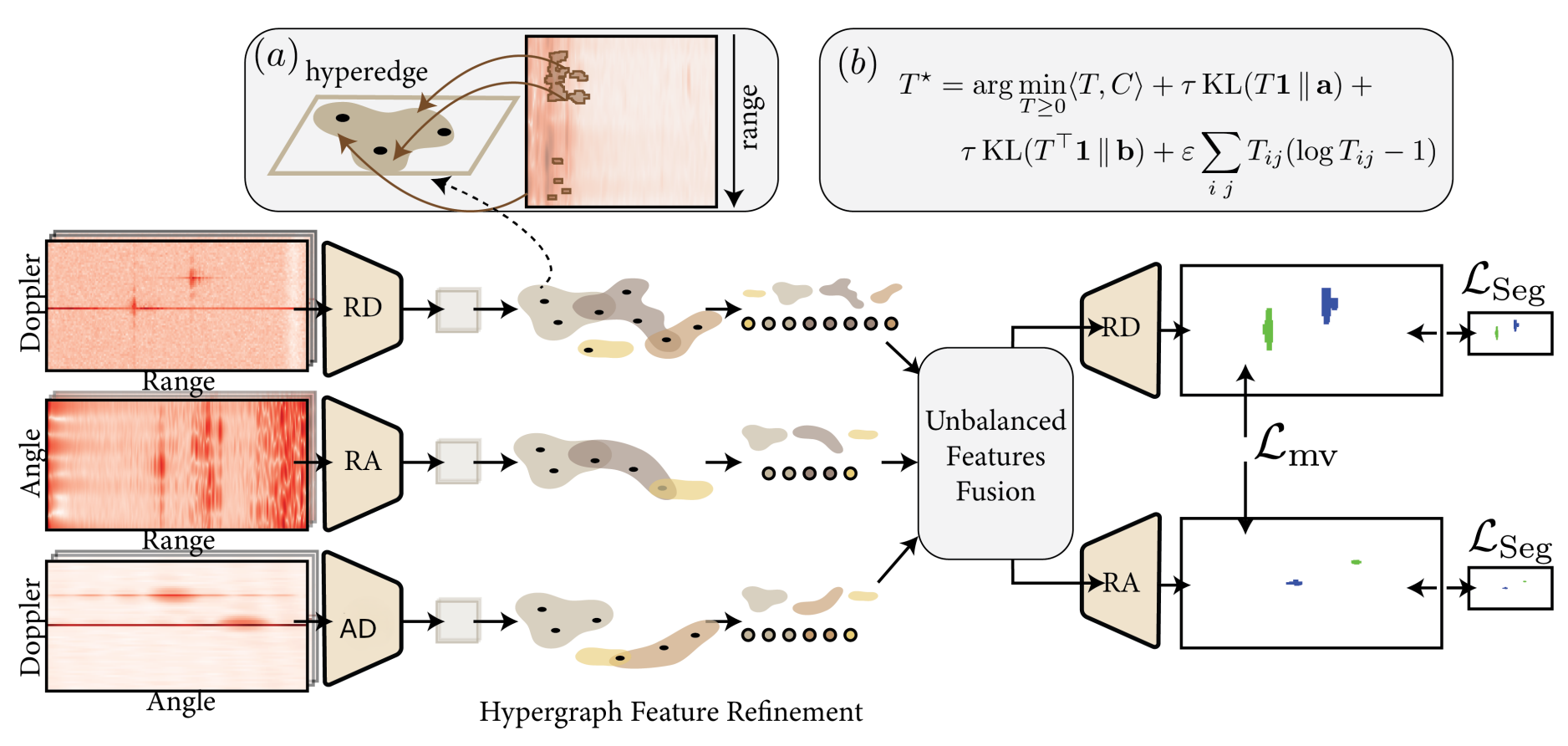
Architecture of the proposed HyperRadar framework. Three radar views (RD, RA, AD) are processed by independent encoders and refined using view-specific learnable hypergraphs. (a) Hypergraph refinement: for an extended object like a car with distant reflections spanning multiple range cells, the hypergraph captures these nonlocal dependencies and groups them into a single hyperedge. (b) Unbalanced Optimal Transport (UOT) aligns the refined features across views. The fused tokens are refined via adaptive attention and subsequently decoded into dense segmentation masks. The network is trained end-to-end using joint segmentation and cross-view consistency objectives.
Quantitative
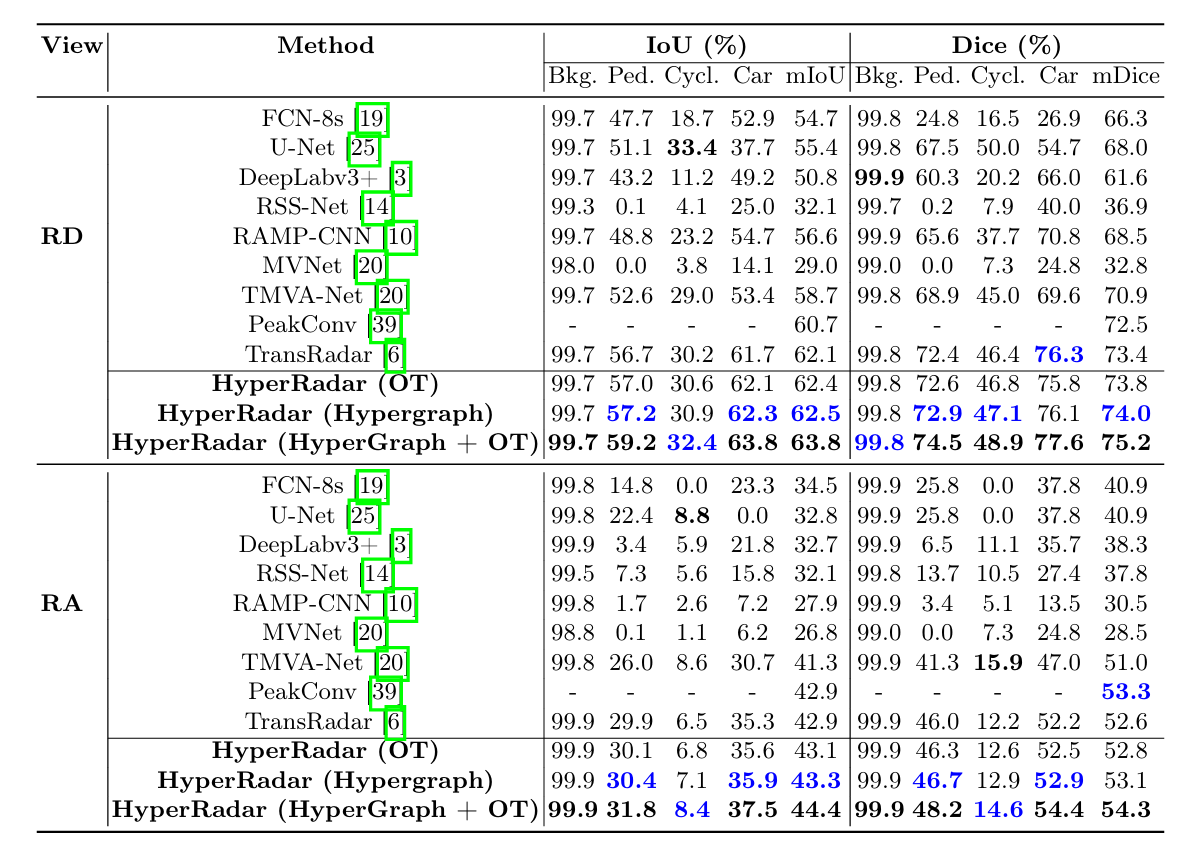
Semantic segmentation performance on the test split of the CARRADA dataset for the RD (Range–Doppler) and RA (Range–Angle) views. From left to right, the columns show the view (RD/RA), method name, intersection-over-union (IoU) scores for the four classes and their mean, followed by Dice scores for the same classes. The best results are shown in bold black, while the second-best results are highlighted in bold blue.